
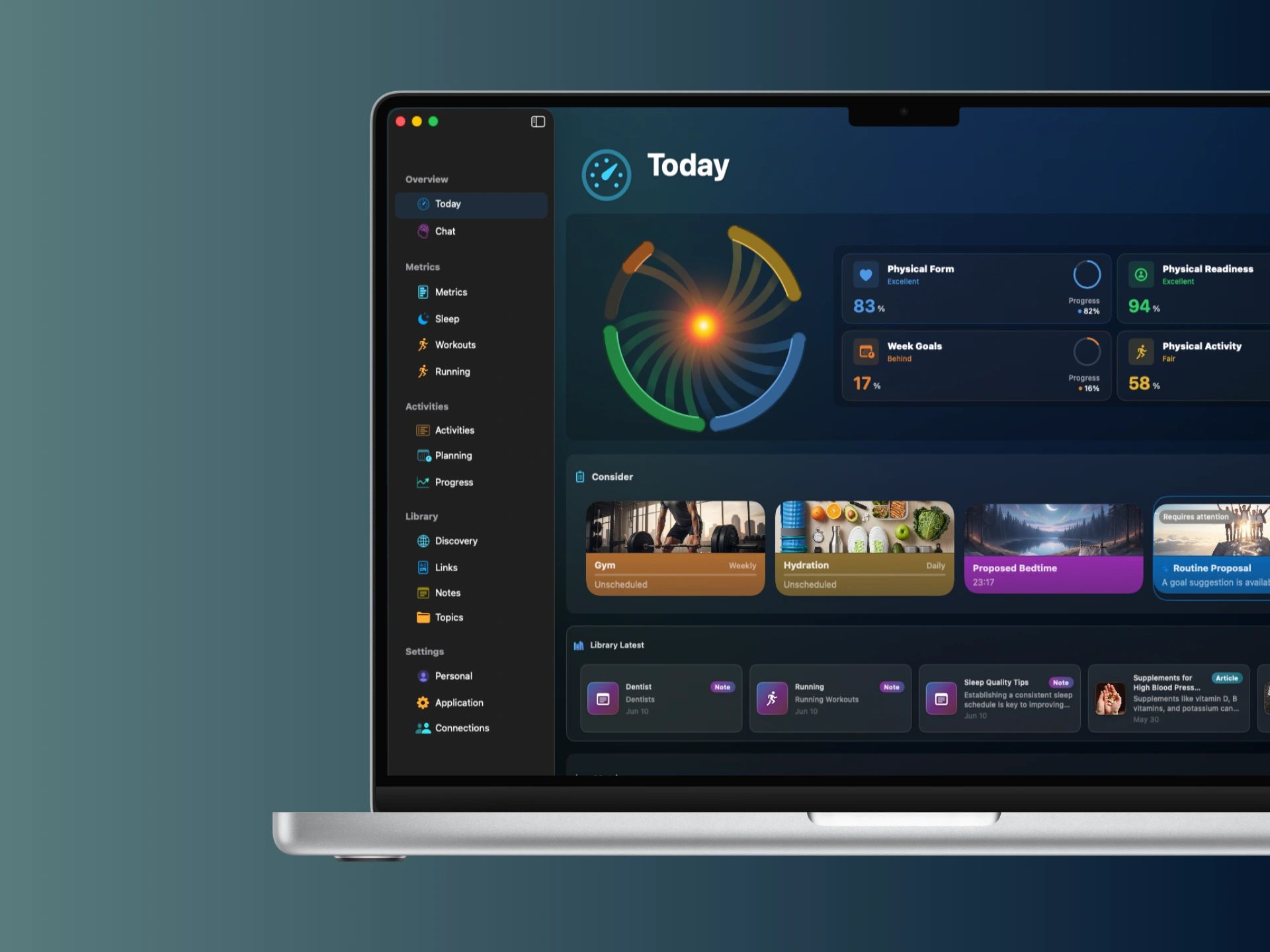
Bring your own health context to Mac
With your permission, Yural uses supported Apple Health information on iPhone. Optional transfer makes selected health and fitness context available in Yural on your own paired Mac. Yural is a separate app; it is not Apple’s Health app.
HealthKit-derived metrics stay local by default. For paired-device transfer, data is encrypted before it leaves your device, and the delivery service keeps the encrypted payload only as long as needed to complete the exchange.
Use the larger screen for a useful review
A desktop session can connect things that are easy to review separately on a phone: recent activity, workout history, sleep context and the activities you intended to complete. Choose the period and metrics that answer your question rather than displaying every number.
- Explore metric charts and compare periods.
- Arrange planned activities with calendar context.
- Read articles, organize saved links and write notes.
- Use visual AI Chat for questions about Yural context where available.
Move between everyday check-ins and deeper planning
Use iPhone for a quick check-in, Apple Watch for the wrist experience, iPad for a larger companion view, and Mac when you want room to work. The value is one connected fitness and habits system with a different role for each device.
Mac access and device synchronization are available with Plus. Check the App Store and the offer shown in your app for current compatibility, availability and local pricing.
Questions
Does Yural read Apple Health directly on Mac?
Install Yural on your iPhone and Mac, allow Apple Health access on iPhone, and synchronize the devices. Your available information then updates automatically on Mac through a secure, end-to-end encrypted exchange.
Is Mac just a dashboard?
Yural on Mac also supports planning, Library and notes work, progress review and visual AI Chat where available.